Using Asset IDs
Every Actor, Stage, Prop, etc. in your project has an asset ID: a short random string that Whimtale uses to tell assets apart. Most of the time you never see it, because blocks that need a specific asset usually give you a picker instead. A few blocks, though, accept an ID as data — mainly in programmatic blocks. Though they can seem unwieldy, they allow more dynamic work with assets in Scenarios.
Three blocks let you decide at runtime which Actor type or Stage to use. Their Actor and Stage inputs are wire-only — they have no field to type into, on purpose:
- Create Actor (Advanced) — Actor type ID, Stage ID, X, and Y all come from data.
- Move an Actor to a location (Programmatic) — the Actor reference, Stage ID, X, and Y come from data.
- Move Hero to (Programmatic) — Stage ID, X, and Y come from data.
To retrieve the IDs first, you need to use these blocks from the Data category:
- Get Actor ID;
- Get Stage ID;
- Current Stage ID — the ID of the Stage being played right now. Unlike the other two, it is read live.
They are available in any Scenario, in Actor or Hero.
IDs are text, so they can be stored in variables, compared with "Compare strings", and passed to the same places as any other text. Even randomized with variables and string templates!
Recipes
React to a specific Stage
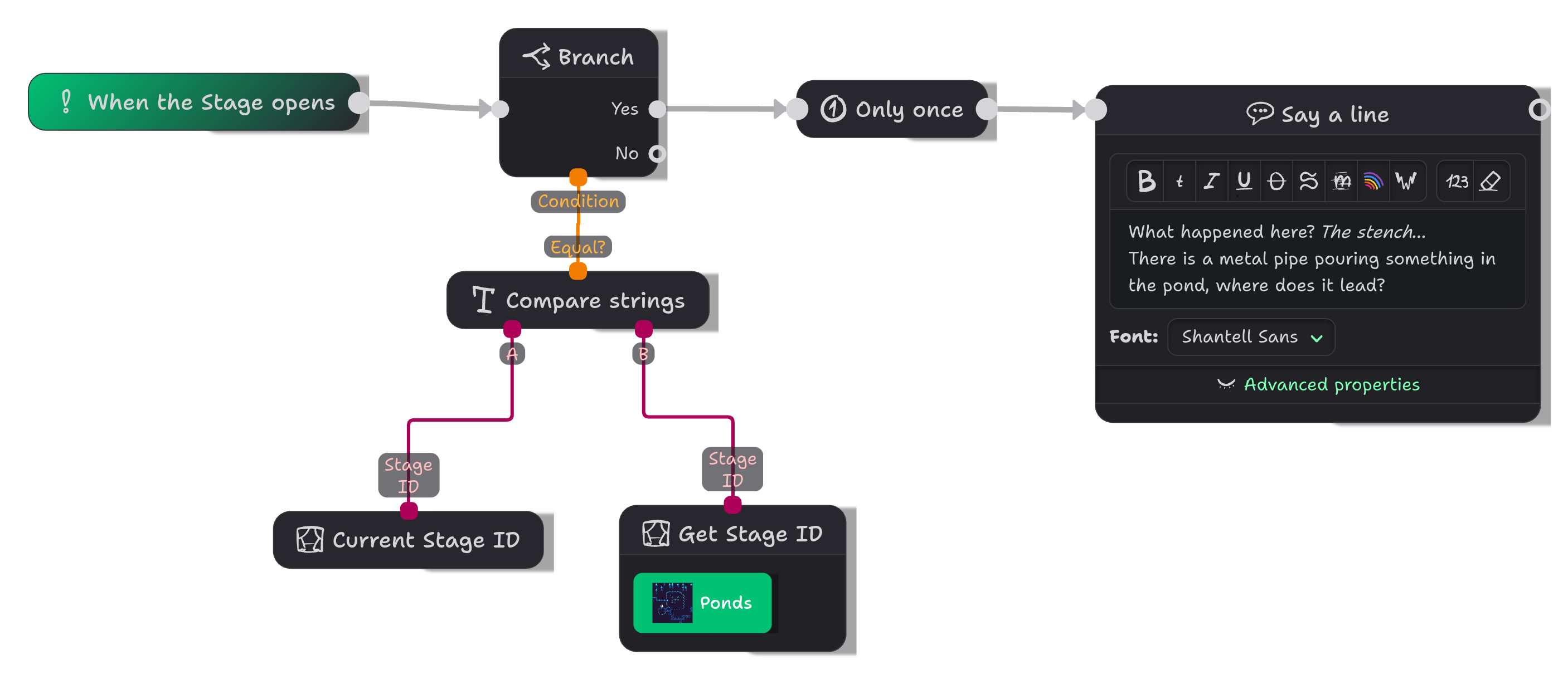
Connect "Current Stage ID" and "Get Stage ID" to a "Compare strings" block, and branch on the result — this short setup lets you run a dialogue or other logic on a specific stage without any additional preplaced Actors.
Spawn a random Actor
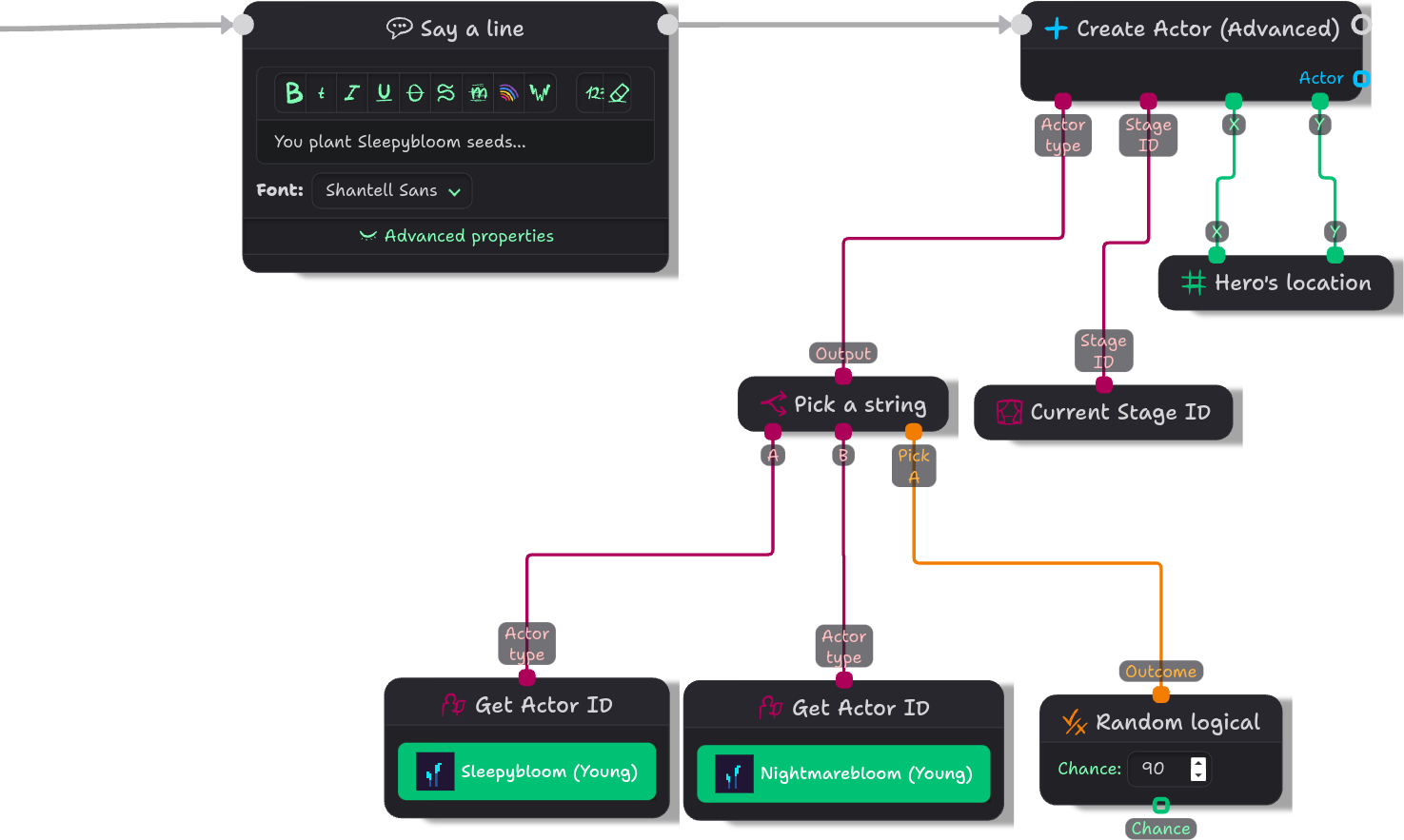
- Add a "Random logical" block and set its chance to 50. (Or other value.)
- Add two "Get Actor ID" blocks, one for each Actor type you want to pick from.
- Add "Pick a string": A is the first ID, B is the second, and the condition is the random result.
- Plug the result into "Create Actor (Advanced)" → Actor type, and connect "Current Stage ID" into the current Stage ID.
For example, a Hero can plant seeds of Sleepybloom, a natural sedative used to calm someone's mind, but there is a 10% chance that a Nightmarebloom will grow instead:
Return to a location without checkpoints
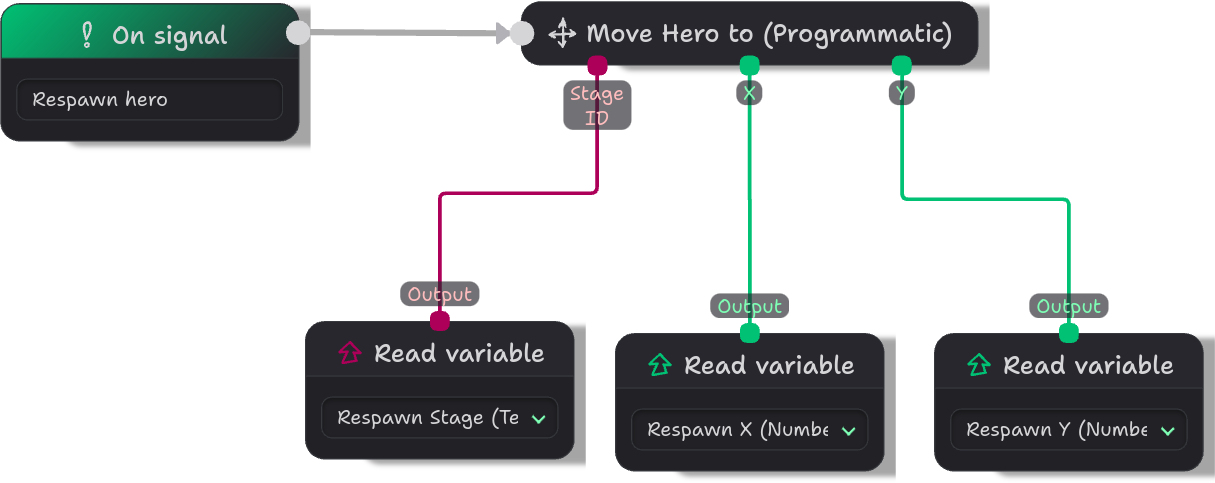
"Move Hero to (Programmatic)" accepts a Stage ID — this allows us, for example, to create a simple system that returns the hero to their "respawn point", without using savegames or checkpoints — perhaps we want to preserve some variables, like inventory or quest status, and using checkpoints would undo our player's achievements.
In the respawn Actor:

And in the Hero's Scenario — here the respawn mechanic triggers through a signal call named "Respawn hero":